TL;DR
This article breaks down the dual-functionality of the modern browser’s address bar, often labeled “Search Google or Type a URL.” We explore the two distinct paths a user can take: direct navigation (typing a URL) and discovery (searching Google). This “omnibox” has fundamentally changed user behavior, blurring the line between searching and navigating. We explain what this shift means for your business, detailing how to optimize for both direct-brand traffic and new discovery through search. The guide also covers hidden features of the address bar and why understanding this simple box is critical to your overall digital strategy, as it is the primary gateway for all your customers.
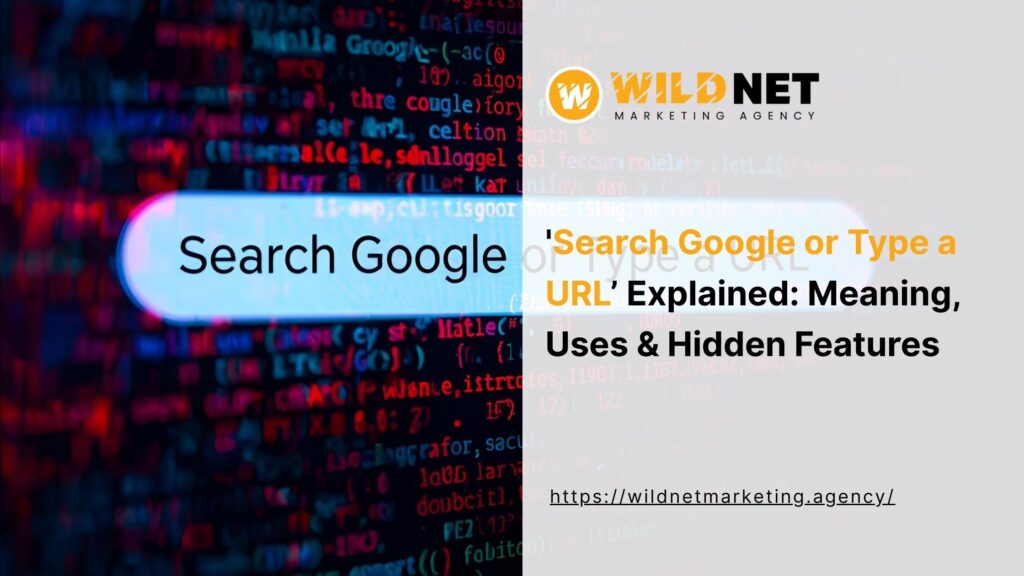
That simple, unassuming box at the top of your browser is the most valuable real estate on the internet. It is the front door to your business, the primary tool for discovery, and the starting point for nearly every user journey. The text it displays, often “Search Google or Type a URL,” represents a fundamental choice for the user, and understanding the implications of that choice is critical for your entire marketing strategy. Whether a user is searching or navigating, their journey begins here, and you need a plan to win on both fronts.
What is the “Omnibox”? The Most Important Field on the Internet
In the early days of the web, browsers had two separate fields: a search bar (for search engines) and an address bar (for URLs). Today, they are merged into one powerful fie
This single interface is the core of the “Search Google or Type a URL” concept. It is a dual-function tool that acts as both a search bar and a navigation bar. For business owners, this is critical: the line between a user looking for you and a user looking for what you do has completely blurred. This distinction impacts your SEO, your brand marketing, and how you measure success.
What Happens When You “Search Google or Type a URL”? A Look at the Tech
When a user types into this box, they are initiating one of two very different processes. Understanding these paths is key to optimizing your presence.
Option 1: Typing a URL (Direct Navigation)
This is the “type a URL” half of the equation. When a user types https://yourbrand.com and hits Enter, they are bypassing Google’s search engine entirely.
- The Process: The browser performs a DNS (Domain Name System) lookup to find the IP address of your server, directly requests your website, and loads the page.
- What it Means for Your Business: This is “direct traffic.” It is your most valuable audience. These are your brand loyalists, existing customers, or people who learned about you from an offline source (like a commercial or word-of-mouth). They already know who you are and are coming directly to you. Optimizing for this path is about building strong brand recall.
Option 2: Searching Google (Discovery)
This is the “search Google” half of the prompt. When a user types anything that is not a URL (e.g., “best marketing agency near me”) and hits Enter, the browser sends that query to the default search engine (which, for most, is Google).
- The Process: The browser sends the query. Google’s algorithm, powered by AI like RankBrain and AEO principles, instantly analyzes the query, consults its massive index, and presents a Search Engine Results Page (SERP).
- What it Means for Your Business: This is “search traffic” or “discovery traffic.” This is where you find new customers. These users do not know who you are; they just know what problem they have. Your goal here is to be the #1 answer to their question. This is where your SEO and AEO strategy becomes critical. This is the battleground for search google type url.
How This Dual-Function Box Impacts User Behavior and SEO
The brilliance of the omnibox is also its biggest complication for marketers. Most users, especially those who are not tech-savvy, no longer understand or care about the difference. They see a box, they type what they want, and they hit Enter. This is the reality of the “search or type google url” world.
This has a few profound impacts on user behavior:
- Navigational Queries: Many users will type “https://www.google.com/search?q=google.com” into the “Search Google or Type a URL” bar just to get to Google’s homepage, only to then search again.
- Brand as a Search Term: Even more commonly, a user who wants to go to your website will not type your URL. They will just type your brand name (“Wildnet Marketing Agency”) and hit Enter. This is called a “navigational query.” It is technically a search, but the user’s intent is to navigate.
- Autocomplete’s Influence: Google’s Autocomplete feature is constantly trying to “help.” A user might start to “search google type url” but Google’s suggestions are so compelling they turn their intended navigation into a discovery search instead.
For SEO, this means “branded search traffic” (people searching for your name) is a key metric for measuring brand strength, even though it is not “direct traffic.” This is why a “search google type url” strategy is so important.
Hidden Features of the “Search Google or Type a URL” Bar
To fully leverage this tool, you need to understand its advanced features. The prompt “Search Google or Type a URL” hides a lot of power.
- Site Search Shortcuts: You can turn the omnibox into the search bar for a specific site. Start typing a site’s URL (e.g., youtube.com). When the suggestion appears, hit the “Tab” key. Your omnibox will now say “Search YouTube,” allowing you to search only within that site.
- Quick Calculations and Answers: The bar itself is an “answer engine.” You can type 50*12 or weather near me or how tall is the eiffel tower and the answer will often appear in the dropdown, no search needed.
- Instant Keyword Research: For marketers, the autocomplete suggestions are a goldmine. Typing in a “seed” keyword and seeing what Google suggests is a form of live, real-time query analysis. The suggestions in the “search or type google url” bar are what users are actively looking for.

What Should Your Business Optimize For? (Search vs. URL)
The answer is, of course, both. These two paths require two different, but complementary, strategies.
Optimizing for “Type a URL” (Brand & Direct Traffic)
This strategy is about building a memorable brand. Your goal is to get your brand name and your URL so embedded in your audience’s mind that they bypass Google entirely.
- Memorable Domain: Your URL should be simple, short, and easy to spell.
- Offline Marketing: Every truck wrap, radio ad, or business card should prominently feature your URL.
- Brand Building: This is the “mad men” side of marketing. Your goal is to build such a strong brand reputation that when a user thinks of your service, they think of your name. This is the ultimate defense against competitors. Optimizing for the “URL” part of the “search or type google url” bar is a long-term branding play.
Optimizing for “Search Google” (Discovery & AEO)
This is the AEO/SEO side of the strategy. This is how you capture users who have a problem but do not know your brand.
- E-E-A-T: You must build content that demonstrates your Experience, Expertise, Authoritativeness, and Trust.
- Answer Engine Optimization: You must structure your content as clear answers to the conversational questions your audience is asking. The “search or type google url” prompt is their starting point.
- Topical Authority: You must cover a topic comprehensively, not just with one keyword-stuffed page.
- Technical SEO: Your site must be fast, secure, and mobile-friendly to even compete.
When a user in the “search google type url” phase chooses “search,” this strategy is what makes you the #1 result.
Conclusion
That simple bar at the top of your browser, the one that says “Search Google or Type a URL,” is the primary battleground for the entire internet. It is the starting point for both loyal customers and new prospects. A winning strategy for a business owner must respect both paths. You must build a memorable brand that encourages users to “type a URL” while simultaneously building an authoritative content engine that ensures you are the top result when they “search Google.” At Wildnet Marketing Agency, we build these dual strategies. We create the brand authority that drives direct traffic and the expert content that captures new discovery. Are you ready to win both sides of the omnibox?
FAQs
Q.1 What is the real name of the “Search Google or Type a URL” bar?
Ans. Its official name, coined by Google, is the “omnibox.” It is called this because it combines the functions of a traditional address bar and a search bar into one “omni” (all-encompassing) field.
Q.2 Why does Google want me to “search or type google url”?
Ans. This dual-function design is for user convenience. Google’s data showed that users were constantly typing search queries into the address bar and URLs into the search bar. Merging them into one box, the “search or type google url” omnibox, simplifies the user experience.
Q.3 Is it better for SEO if a user types my URL directly?
Ans. Direct traffic (typing a URL) is not technically an SEO signal, but it is a massive signal of brand strength and authority. A high volume of direct traffic is a strong positive indicator for your overall brand, which Google’s algorithms absolutely factor into E-E-A-T (Authoritativeness, Trust).
Q.4 How does the “search google type url” bar affect brand marketing?
Ans. It blurs the lines. Your brand name becomes a keyword. A key part of your brand marketing is now ensuring that when a user does “search google type url” using your brand name, the results are 100% positive and you own the entire first page (your site, your social profiles, your Knowledge Panel).
Q.5 What is a “navigational query”?
Ans. A navigational query is a search where the user’s intent is to navigate to a specific website. For example, a user typing “Facebook” into the “Search Google or Type a URL” bar is not trying to learn what Facebook is; they are just using Google to get to the Facebook homepage.
Q.6 How can I make my site appear in the autocomplete suggestions?
Ans. Appearing in the autocomplete suggestions is a powerful branding play. This is not something you can directly control, but it is influenced by: 1) High search volume for your brand/keywords. 2. Your E-E-A-T and authority. 3. A history of users searching for a term and then clicking on your site.
Q.7 Why do some users type “https://www.google.com/search?q=google.com” into the “search google or type url” bar?
Ans. This is a common behavior for users who are less tech-savvy. They were trained that “Google” is a website you “go to” to start a search. They have not yet fully adapted to the idea that the “search google type url” bar itself is Google. This shows how ingrained the “search” half of the “search or type google url” equation is.